
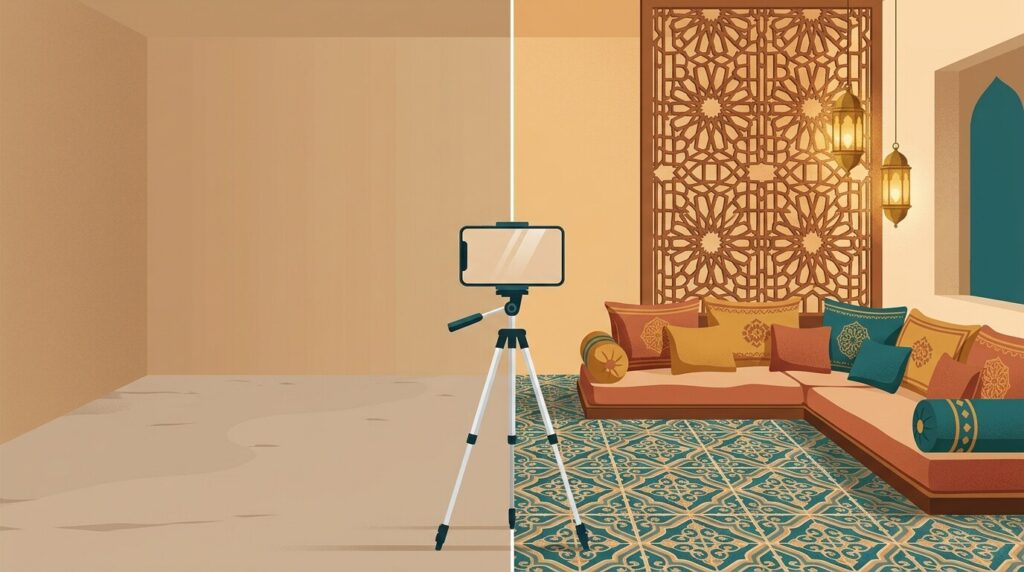
The short answer: before you pay a decorator or buy a single chair, take one good phone photo and run it through a free AI tool, but pick the tool by the job and treat what comes back as a mood board, not a plan. Whether restyling a furnished space, staging an empty flat, drafting a floor plan, or rendering a sketch, dedicated tools exist for each task. Always measure your space before buying, because AI models do not understand physical scale. Explore our directory’s category of interior design AI tools. All prices, limits, and features below were read on vendors’ pages on 16 November 2026 and change often; we did not test output quality on paid plans, and report only what vendors document.
Step 1: Take a Usable Photo
Generative models depend on photo quality. Poor lighting and tilted angles create warped walls and floating furniture. Follow these rules before opening any app:
Tired of juggling ten tabs? ToolSuite bundles the AI workflow tools power users rely on — in one place.
Try ToolSuite Now- Shoot in daylight: Open blinds fully and turn off lamps to prevent yellow casts and shadows.
- Shoot from a corner at chest height: Corners maximize floor depth. Hold your phone level at chest height.
- Keep lines level: Keep doors and vertical walls straight to avoid perspective distortion.
- Include structural anchors: Keep windows and doors visible to define room boundaries.
- One photo per angle: Avoid panoramic or fish-eye modes that bend walls and confuse staging engines.
Step 2: Choose the Tool by the Job
Match your tool to your specific task. The table below compares each platform’s focus, free access, cheapest paid tier, and key limitations.
| Tool | Best For | How to Start Free | Cheapest Paid Plan as Shown | Watch Out |
|---|---|---|---|---|
| DreamHouse AI | Restyling furnished rooms or exteriors, real product insertion, chat refinement. | Vendor page does not state a free plan or trial. | Personal: $24/month billed $288 yearly, or $29/month monthly (50 generations/month). | Vendor page does not state refunds, watermarks, commercial rights, ownership, or Arabic support. |
| Home Visualizer AI | Remodel previews, structural preservation, paint color previews. | Free trial without credit card (limit not stated). | Starter: $12/month billed $144 yearly, or $19/month monthly (100 renders/month). | Starter is personal use only (commercial needs Pro at $21/month billed yearly or $29/month monthly); US paint brands; renders expire monthly. |
| RoomGPT | Quick thematic room restyling from one photo. | Vendor page does not state a free plan or trial. | Home page shows no prices (its /pricing page did not load for us). | Prices and limits unconfirmed; vendor page does not state refunds, watermarks, ownership, or Arabic support. |
| Virtual Staging AI | Staging empty rooms, furniture removal, keeping architecture intact. | 5 free credits without credit card. | Starter: $29/month for 40 credits (see Virtual Staging AI pricing page). | Credits reset monthly; no refunds on used credits; annual tier breakdown not stated. |
| AI Home Design | Staging, item removal, day-to-dusk, free revisions per photo. | Free watermarked credits without card (count not stated). | Pro: $19.00/month billed $228.00 yearly, or $35.00/month monthly (30 photos/month, $0.63/photo). | Free outputs watermarked; 7-day refund applies only to first-time subscribers using 3 or fewer generations; input packs non-refundable. |
| Maket | Floor plans, furnished 2D layouts, and 3D renders from text. | 30 credits without card (1 floor plan + 1 render; exports excluded). | Homeowner: $20/month for 300 credits (annual billing saves 17%; see Maket pricing page). | PDF/DXF exports require paid plans; vendor states licensed architect or engineer should review before permits or construction. |
| Neolocus | Renders from SketchUp/Revit sketches, blueprints, 3D models; 4K upscales. | Free Plan: 30 credits without card (10 credits/generation = 3 tries, watermarked, no commercial license). | Starter: $18 top-up for 200 credits; PRO: $24/month for 3 months, then $39/month (unlimited generations). | Commercial license on PRO only; free outputs watermarked; refunds not stated. |
| ChatGPT | Conversational design, selective inpainting, testing Arabic prompts. | ChatGPT Images available on all tiers (limits not stated). | Paid tiers referenced, but dollar prices not stated on OpenAI help page. | Selection highlights not always precise, edits may extend beyond selected area; quotas not stated. |
Step 3: Spend the Free Credits Wisely
Free credits disappear quickly if wasted. Note each platform’s exact free limits:
- Virtual Staging AI: 5 free credits without a card. Staging, furniture removal, and floor plans cost 1 credit per render (exteriors cost 2 credits), allowing up to 5 generations.
- Maket: 30 one-time credits without a card. A floor plan costs 20 credits and a render costs 10 credits (exactly one floor plan and one render). Exports are paid only.
- Neolocus: 30 free credits without a card at 10 credits per generation (3 tries; watermarked, no commercial license).
- AI Home Design: Free watermarked credits upon signup without a card, count not stated.
- Home Visualizer AI: Free trial without a card, render limit not stated.
- ChatGPT: Images available on all tiers, limits not stated.
Upload your Step 1 photo into two tools—such as Virtual Staging AI and AI Home Design—to compare how each handles your room.
Step 4: Ask for the Style You Actually Want, Majlis Included
Style menus on AI design tools offer Western presets: Modern, Scandinavian, Bohemian, Coastal, or Farmhouse. None of the vendor pages document support for Arabic, Middle Eastern, or Moroccan styles, and none mentions Arabic or right-to-left text (the closest is DreamHouse AI’s Mediterranean preset). Pick a Western preset and you get a Western room; type a vague “Arabic majlis” and you are likely to get a hotel-lobby cliché rather than a home in Jeddah, Amman or Fez.
To achieve a regional aesthetic, describe concrete elements in English:
- Gulf Majlis Prompt: “A modern Gulf majlis reception room with continuous low-profile upholstered bench seating lining the perimeter walls in warm sand and cream tones. Feature minimalist mashrabiya-inspired dark timber lattice wall panels, soft warm ambient cove lighting, central low brass coffee tables with hammered texture, a subtle geometric Sadu-patterned area rug, and polished cream porcelain floor tiles under natural daylight.”
- Moroccan-Andalusian Living Room Prompt: “A bright Moroccan-Andalusian living room featuring a recessed horseshoe wall alcove, emerald green and terracotta handcrafted zellige geometric tilework, whitewashed plaster walls, arched doorways, perforated brass pendant lanterns casting patterned light, plush floor cushions, and a flat-weave wool kilim rug on terracotta tile flooring.”
Because dedicated tools document no Arabic support, prompt in English. To test Arabic prompts, try ChatGPT and compare results.
Do not ask for Arabic calligraphy; AI image models often garble connected Arabic letters. Read our guide on Arabic text in AI images. Ask for blank frames, then add authentic Arabic script later using Canva.
Step 5: Check the Result Against Reality
AI renders are visual ideas, not structural plans. Audit every image against your physical room:
- Check structural stability: Did the AI move windows, erase doors, or remove pillars? Use structural preservation controls: Home Visualizer AI keeps architecture, layout, and lighting intact, while Virtual Staging AI keeps walls, windows, doors, and floors intact.
- Verify furniture scale: AI tools do not know your dimensions in centimeters. A sofa that fits in a render may block a doorway in reality. Measure your space before buying.
- Inspect inpainting edits: When editing with selection tools in ChatGPT, OpenAI notes highlights are not always precise, and edits may extend beyond the selected area.
Step 6: Turn the Picture into a Buying Plan
Convert your render into an actionable shopping plan:
- List items and find local equivalents: List items and find matching furniture in local markets across Riyadh, Dubai, Cairo, Amman, or Casablanca. DreamHouse AI lets you add real product images (furniture, decor, fixtures) directly into your render.
- Match paint locally: Home Visualizer AI previews US paint brands (Behr, Sherwin-Williams, Benjamin Moore). Those brands may not be sold where you live, so take the colour on your screen or a printout to a local paint shop and ask for a match.
- Check currency terms: Every price we saw was in US dollars; AI Home Design also shows GBP, EUR and CAD. No vendor page mentions regional pricing for the Middle East.
- Get structural review: If using Maket, note its warning: a licensed architect or engineer should review designs before permits or construction.
Staging for Real Estate: Selling or Renting
For property sellers and landlords, Virtual Staging AI and AI Home Design offer listing-ready staging, item removal, and day-to-dusk edits. Transparency is essential: buyers visiting an empty flat feel misled by unlabelled staging.
- Virtual Staging AI adds customizable AI-use labels and auto-overlay disclosures on every download.
- SofaBrain includes settings for “Virtually staged” and AI-edit labels. SofaBrain offers pay-once packs (1 listing for $49, 3 for $119, 8 for $279, credits valid 12 months) and subscriptions from $59 per month (or $590 a year for 100 monthly credits).
Labeling staged photos builds buyer trust while illustrating property potential.
What the Vendors Leave Unsaid and Your 10-Minute Test
Before subscribing, note what vendor pages omit: we did not test output quality on paid tiers; our review reflects vendor sites as read on 16 November 2026. Dedicated tools document no native Arabic prompt support. Refund terms are unstated for DreamHouse AI, Maket, Neolocus, SofaBrain, RoomGPT, and ChatGPT; only AI Home Design offers a 7-day refund (for 3 or fewer generations used), while Virtual Staging AI states no refunds on used credits. Image copyright ownership is unstated across all vendors.
Test before spending with a simple 10-minute trial:
- Take one clean, chest-height photo of your room from a corner in daylight.
- Upload it to two tools offering free trials without a card (such as Virtual Staging AI and AI Home Design).
- Enter our English majlis or Andalusian prompt into both.
- Compare outputs side-by-side: evaluate whether each tool kept your real architectural boundaries intact and followed your style instructions.












Comments
0No comments yet.
Please log in to comment.
Comments are available for members only. Sign in to participate in the discussion, or create a new account for free.