

Open this AI tool now
https://jan.ai/Jan suits privacy-focused developers and users who want a free, open-source, offline ChatGPT alternative without managing terminal scripts or subscription fees. However, anyone needing an Arabic user interface, or local models on an Intel Mac, should look elsewhere.
Complete Local Privacy Without Commercial Gating
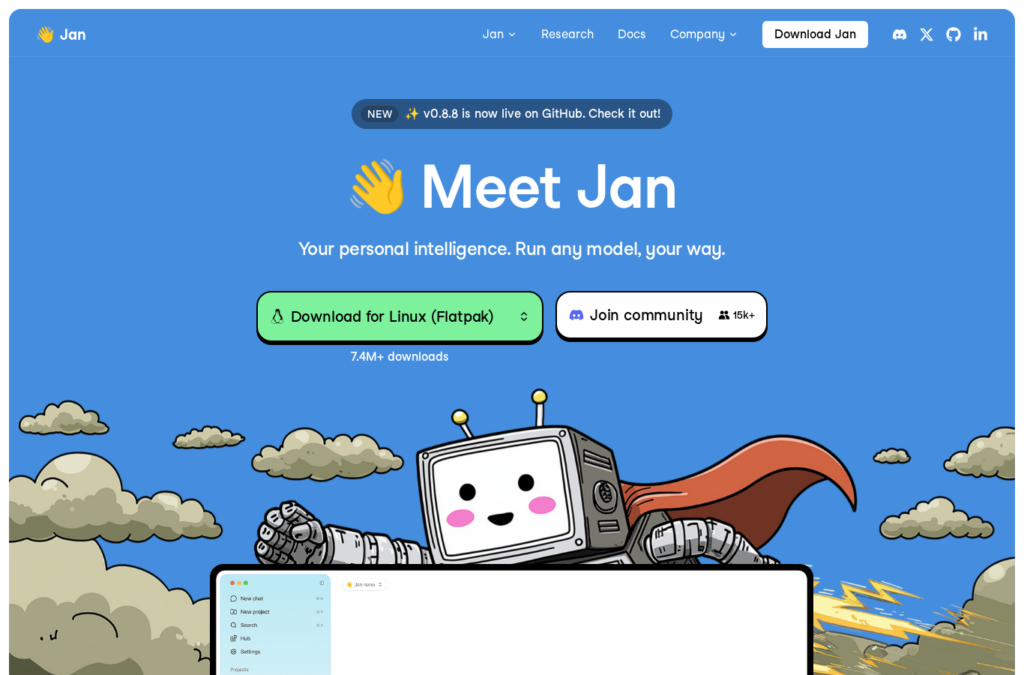
Published under the Apache 2.0 license by Menlo Research, Jan operates as an open-source alternative to ChatGPT running 100% offline on your computer. With over 7.4 million downloads and roughly 46,000 GitHub stars, it stores conversations, prompts, and files strictly on local storage. Its privacy policy promises zero data collection unless you opt in to analytics. If you are weighing it against LM Studio, the difference that matters is that Jan’s entire codebase is open under Apache 2.0, with nothing behind a paywall.
Tired of juggling ten tabs? ToolSuite bundles the AI workflow tools power users rely on — in one place.
Try ToolSuite NowDesktop Usability Paired with Local Serving
Jan wraps the llama.cpp engine into a cowork-style desktop interface with conversation threads and local model management. Beyond basic chatting, it features native web search added in July 2026 (version 0.8.4), Model Context Protocol (MCP) integrations, and Jan Agent for autonomous coding against local models. While memory across chats remains marked as coming soon, the app acts as an OpenAI-compatible local API server. This allows external software to query your local models, making Jan a practical desktop counterpart to command-line tools like Ollama.
Hardware Constraints and Platform Support
Jan runs on Windows x64 and ARM64, Linux (Flatpak, AppImage, and .deb), and macOS. On Mac, however, documentation explicitly states that local models do not run on Intel processors, requiring Apple Silicon hardware.
Minimum specifications require an x64 processor with AVX2 (Intel Haswell 2013+ or AMD Excavator 2015+) and 10 GB of free storage. A dedicated GPU is optional, with 6 GB of VRAM recommended for NVIDIA, AMD, or Intel Arc cards. Larger models require more system memory. Menlo Research maintains an active release cadence: version 0.8.6 added AppImage builds and Turing GPU compatibility, version 0.8.7 added a shell switch and image limits, and version 0.8.8 in October 2026 updated the llama.cpp engine to 0.7.0 while restricting local API requests to explicitly authorized browser origins.
Zero-Dollar Core with Optional Cloud Passthrough
Jan has no paid tiers; the site does not even have a pricing page. The desktop application is completely free, incurring expenses only if you choose to connect third-party cloud models.
| Tier | Cost | Details |
|---|---|---|
| Jan Desktop | Free | Apache 2.0 open-source software running offline local models with zero licensing fees. |
| Cloud APIs | Direct Provider Billing | Optional connections for OpenAI, Anthropic, or Google Gemini billed directly by the provider via your own API keys. |
Arabic Language Readiness and Practical Advice
The Jan interface does not support Arabic. The application ships 17 interface languages, such as French, Spanish, German, and Japanese, but lacks Arabic. An Egyptian user requested Arabic in GitHub issue #8036 in April 2026, but the issue was closed without an Arabic locale being created.
Arabic response quality depends entirely on the open-weight model you select. Users should choose a model advertising Arabic support and evaluate it by asking the same three questions in Modern Standard Arabic and a local dialect, as well as testing comprehension on an Arabic PDF. Furthermore, because right-to-left (RTL) text rendering in the chat interface is not documented, readers must verify Arabic display directly. Users exploring alternative desktop setups can consult our comparison of Ollama vs LM Studio.
Arabic support
Jan's interface ships in 17 languages, none of them Arabic; an Egyptian user asked for it in a GitHub issue that is now closed. Understanding and answering Arabic depends entirely on the model you download, and RTL display in the chat is undocumented.
- Arabic interface (right-to-left)No
- Understands and writes ArabicNot verified yet
- Dialects (Gulf, Egyptian, Levantine)Not verified yet
- Reads Arabic in images and PDFsNot verified yet
- Arabic speechNot applicable
Daleel check
What our team checked on 19 Nov 2026
- Opened the home, download, changelog and Windows requirements pages
- Checked the interface language files in the GitHub repository: no Arabic
- Read the Arabic request in GitHub issue 8036
- Loaded the site with an Arabic browser language: it stayed English
- Did not install the app or try models in Arabic
Verdict: One of the easiest free, open-source ways to run a model on your own computer offline, with a local API server for your other apps. The interface is English, and Arabic quality depends on the model you pick, so test it in MSA and your dialect first.
Questions about Jan
No questions yet. Ask the first one.
Do you make Jan? Add the DaleelAI badge to your site
Copy the code and paste it into your site’s footer or press page. It links to this page, so visitors can read about your tool in Arabic and English.














Comments
0No comments yet.
Please log in to comment.
Comments are available for members only. Sign in to participate in the discussion, or create a new account for free.